
Services
Graphics packages built the way controls projects are actually run.
Pick a single page or hand over a full project — every package is drawn to your standards, in the formats your team already works with.
Before & After
Drag to compare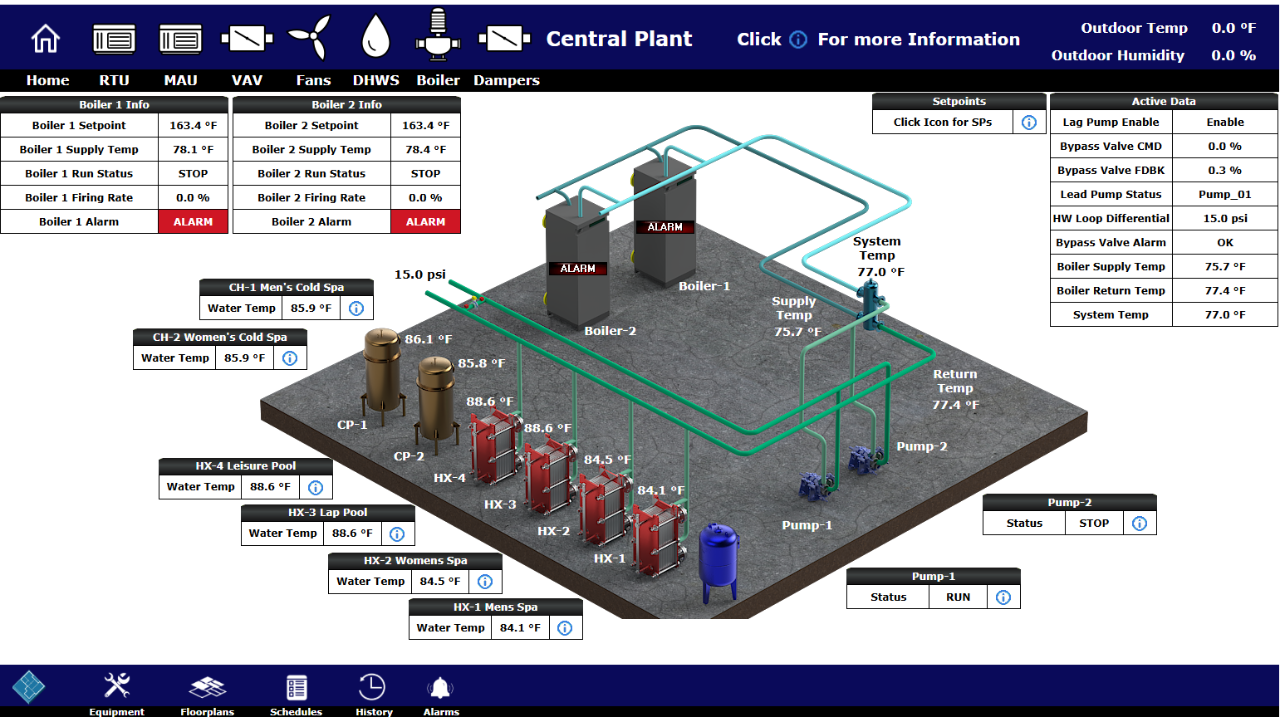
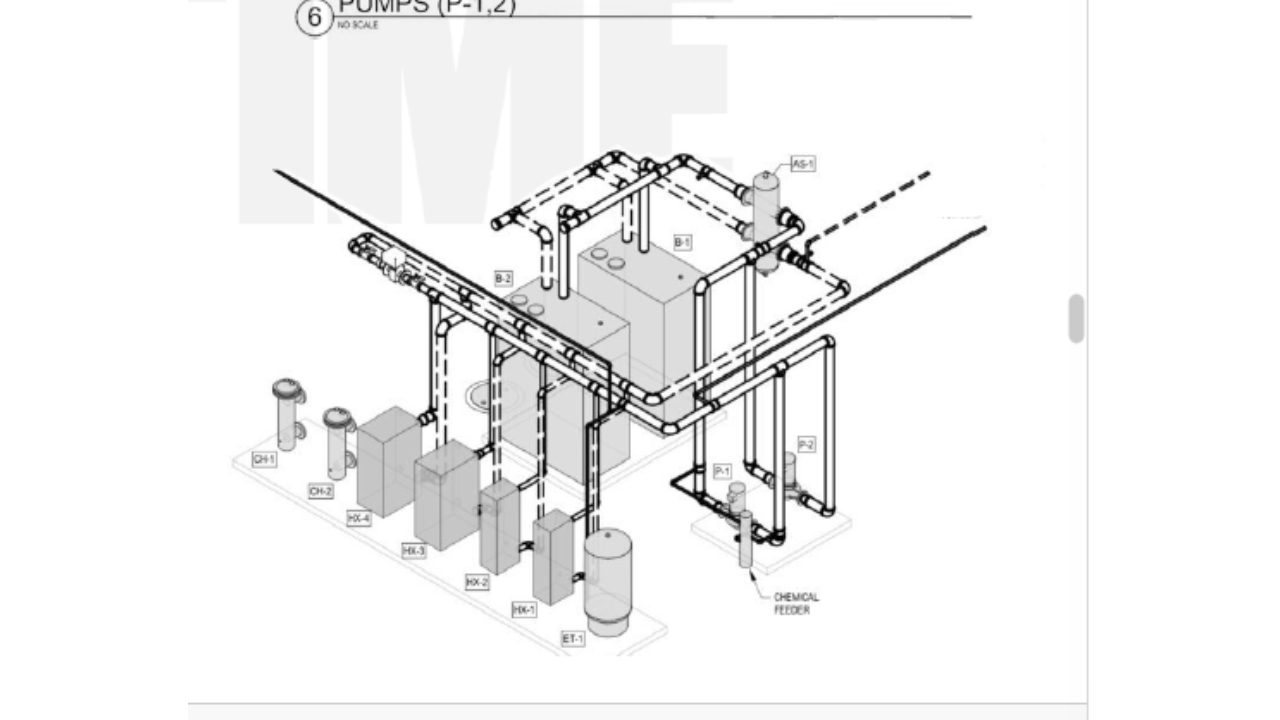
Boiler plant piping schematic vs. the Central Plant interface built from it
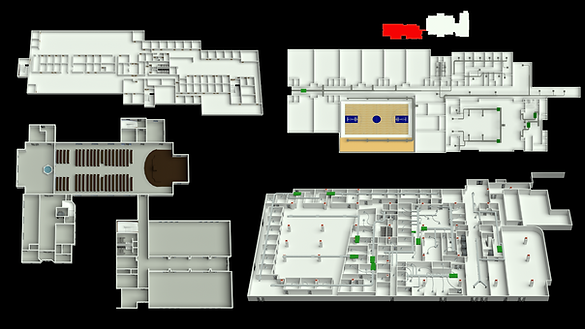
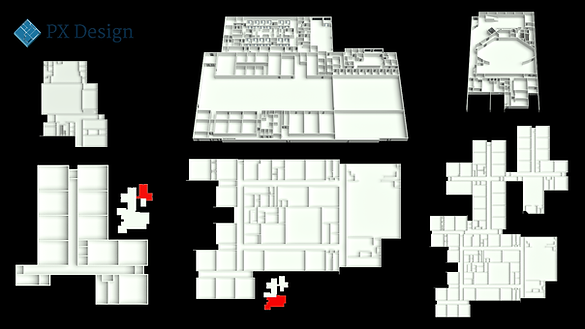
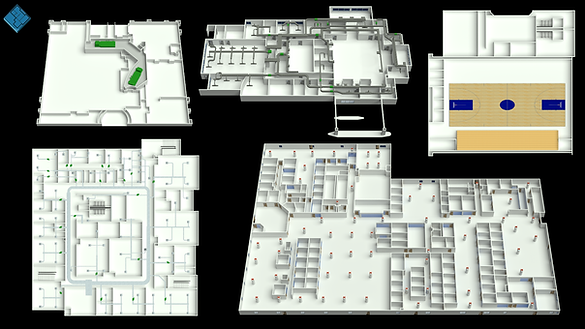
2D & 3D Floor Plan Graphics
Clean, color-coded floor plans that show zones, equipment and point status at a glance — drawn to your naming convention and station hierarchy.
Plan graphics are the page operators live on. We draw each floor with a consistent zone palette, equipment tags that match your station, point status and setpoints placed where they get read, and 3D or isometric views where a plan view is not enough.
- Zone color palettes
- Equipment tags
- Point status & setpoints
- Flat and isometric views

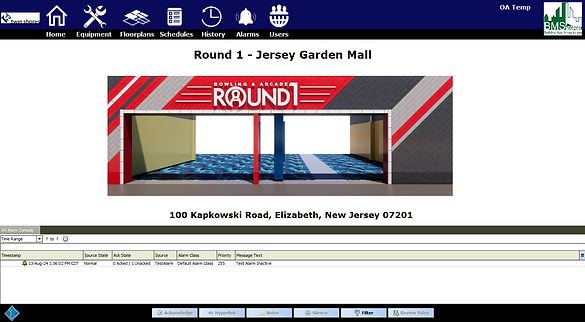

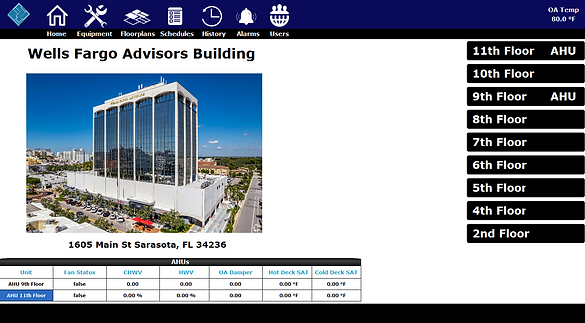

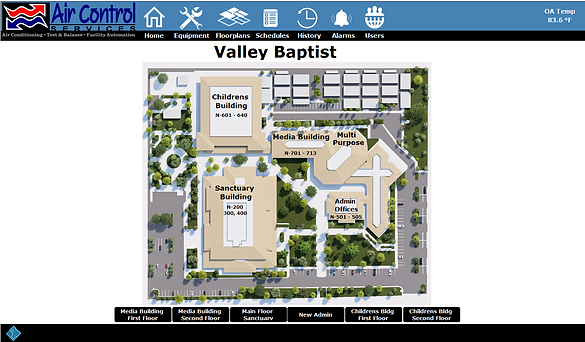

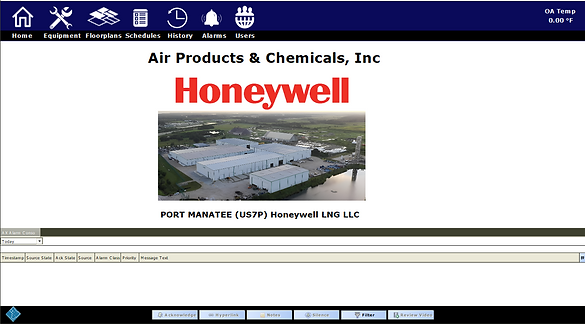
Tridium Niagara Graphics & UI/UX
Niagara-ready page structure, navigation and graphics designed for the way operators actually move through a station during an alarm.
Navigation hierarchy, page templates and graphics that fit Niagara's structure — so a technician can get from an alarm to the right equipment page in a couple of clicks and everything behaves the way your team expects.
- Navigation hierarchy
- Page templates
- Alarm & override states
- Station-ready assets

Training & Support
Hand-off sessions, walkthroughs and ongoing support that help your team and your clients actually use the graphics we deliver.
Graphics are only useful if the people running the station know how to read and navigate them. We offer hand-off walkthroughs, operator training sessions and documented graphic standards so your team and your clients get up to speed quickly, plus ongoing support and revisions as the system evolves.
- Station hand-off walkthroughs
- Operator training sessions
- Graphic standard documentation
- Ongoing revisions & support

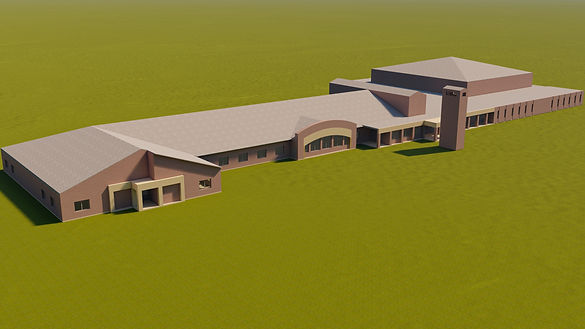

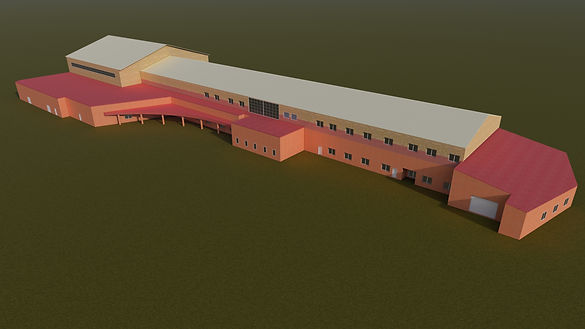

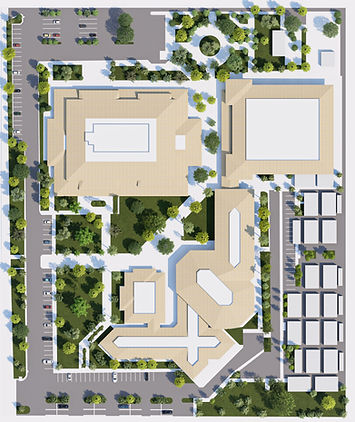
Building & Site Renderings
Realistic exteriors, campus plans and site context renders that give a BAS presentation a finished, professional look.
Renders that put the automation system in context — building exteriors with systems highlighted, mechanical room views and aerial site plans that make a presentation feel finished.
- Exterior renders
- Mechanical room views
- Aerial site plans
- Presentation-ready files

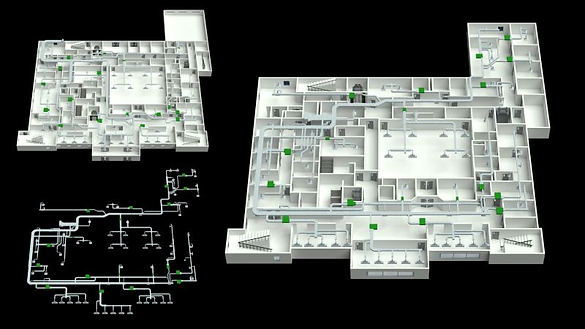

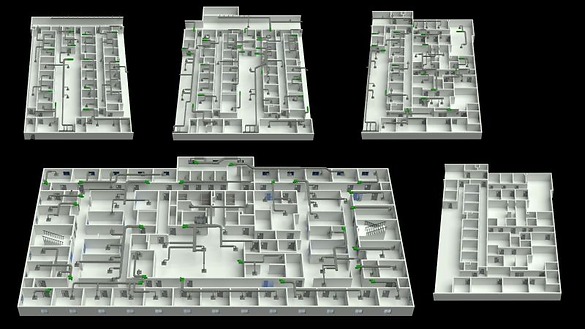
Ductwork & Mechanical System Overlays
Duct runs, hydronic loops and system overlays laid over architectural backgrounds so field techs and clients follow the system instantly.
Architectural backgrounds with ductwork, piping or system overlays drawn on top — the graphic commissioning agents and field techs use to understand routing without opening a drawing set.
- Duct & pipe routing
- Architectural backgrounds
- Terminal & valve tagging
- Layered source files
Not sure which package fits your project?
Describe the building, the platform and the deadline. We'll tell you what it takes.

